At some point, every business owner takes a look at their website and notices it doesn’t seem quite right. For instance, the design is outdated, website visitors bounce after getting there, or leads over the Internet have slowed down. In fact, Google has found that 53% of the visitors will abandon a mobile page if it takes more than three seconds to load.
So, how do you decide between a website revamp vs redesign?
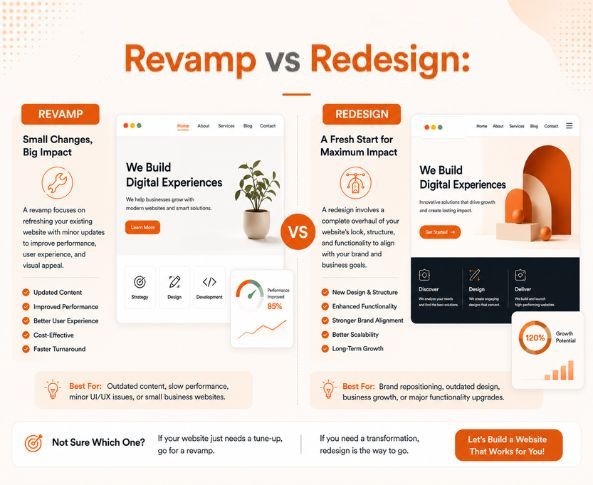
A website revamp might be sufficient if your website’s foundation is solid, but you want to add more visuals, clear messaging, improved navigation, or stronger calls-to-action. However, if your business is restricted by the structure, technology, branding, or user experience, a website redesign might be the better investment.
Therefore, the difference between website revamp and redesign ultimately depends on the scope, the purpose, and the amount of change to the existing website.
What Is the Difference Between a Website Revamp and Redesign?
A website revamp is making enhancements to an existing website without altering the core foundation. You can change the copy, update the visual design, enhance the mobile experience, streamline navigation, and boost CTAs. Understanding when to revamp a website can save you from spending money on changes you do not need.
By contrast, a website redesign may include restructuring the sitemap, rethinking the user journey, changing website navigation, rebuilding templates, rewriting website content, improving the technical performance, and even changing the CMS.
What Does a Website Revamp Include?
A website revamp is best when your services, target audience and main website structure don’t need major changes.
Ultimately, a revamp can involve the following, depending on your needs:
- Refreshing old website text
- Replacing old images and graphics
- Enhancing typography, spacing and page layouts
- Strengthening headlines and calls-to-action
- Improving mobile navigation
- Simplifying forms and conversion paths
- Fixing minor navigation problems
- Updating headings, metadata, and internal links
- Compressing images and improving page speed
- Refreshing brand elements across important pages
What Are the Signs You Need a New Website?
There are several clear signs you need a new website rather than another round of surface-level updates.
Therefore, a redesign becomes more appropriate when:
- Your business model has changed significantly.
- Your target audience has changed.
- You have added major services or entered new markets.
- Your website is not mobile-friendly.
- The CMS makes it needlessly difficult to make basic content changes.
- Your website is slow or has major technical issues.
- You don’t have the resources needed to handle the integration.
- Your branding no longer reflects your market position.
- Your existing user journey does not match how customers make decisions.
- Past minor changes have not addressed ongoing performance issues.
Additionally, a redesign can also involve website modernization if your website is no longer able to accommodate growth because of outdated code, technology, security protocols, or integrations.
| Project Scope |
What It Includes |
Cost |
| Visual Revamp |
UI updates, typography, colors, minor layout changes |
$1,000–$3,500 |
| Structural Update |
CMS improvements, code refactoring, performance work |
$3,000–$7,500 |
| Strategic Redesign |
UX improvements, content restructuring, new features |
$8,000–$20,000 |
| Complete Rebuild |
New platform, custom development, complex integrations |
$20,000–$75,000+ |
What Is the Standard Website Redesign Process?
Below are the steps for a successful website redesign process:
1. Audit the Existing Website
Analyze traffic, conversions, SEO metrics, page speed, mobile usability,
content, navigation, technical problems, and current integrations.
2. Define Business Goals
Meanwhile, determine what the new website should do. You may want to
increase leads, sales, bookings, a rebrand, or move into a new market.
3. Plan the Website Structure
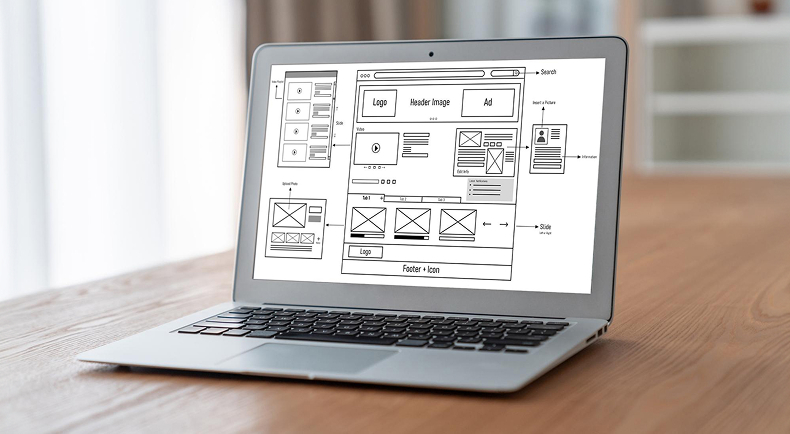
Before going into development, build out the sitemap, navigation, page
hierarchy, content structure, and conversion paths.
4. Improve Content and UI/UX
Simplify confusing messages, structure content based on user needs, and
create intuitive interfaces for key actions.
5. Develop and Integrate
Implement approved designs, set up the CMS, and import content.
Subsequently, integrate the necessary tools like analytics, CRM systems, forms,
payment gateways, and more.
6. Test Before Launch
Test mobile responsiveness, forms, links, page speed, browser
compatibility, security, redirects, metadata, indexability, and important
conversion paths.
7. Launch and Monitor
After launch, monitor analytics, search performance, conversions,
technical errors, and user behavior. Thus, a redesign should always be based on
actual data and should continue to improve.
What Should You Include in a Website Revamp Checklist for Small Business?
When the majority of the issues are related to content, visuals, minor UX issues, or conversion elements, a UI UX revamp can be used to improve usability without affecting a healthy technical foundation.
However, if the issues are with the architecture, the technology, the branding, navigation, scalability, or the user journey, then it’s time for a redesign. If you find that a revamp is safer, use this website revamp checklist for small business websites:
- Is the home page clear about the services you provide?
- Are your services and other important information accurate?
- Do users easily locate key pages?
- Do your call-to-actions make sense?
- Is the site mobile-friendly?
- Additionally, is your content easy to scan?
- Can your team update the CMS without difficulty?
- Does the visual design still reflect your brand?
- Do contact forms function properly?
- Lastly, have your key pages been optimized for search?
Conclusion
Before making any decision, perform a website audit first. Consequently, find your largest technical, UX, SEO, content, and conversion issues and pick the solution that directly targets them.
A professional website designing company in Gurgaon can analyze your existing website and suggest a focused website revamp or full website redesign based on your needs.
Prettify Creative can help you identify the gaps in your current website, plan the right improvements, and build a digital experience aligned with your business goals.